

When you work remotely, your laptop isn’t just a device — it’s your income, your communication channel, and your access to clients. If it fails while you’re living in Benidorm, the stress can escalate quickly. The good news is that Benidorm is not an isolated beach town with limited infrastructure. You have realistic options — but the key is responding calmly and strategically.
This guide walks through what to do step by step if your laptop breaks while you’re working remotely in Benidorm, from immediate damage control to local repair solutions and backup strategies.
Step 1: Don’t Panic — Assess the Real Problem
Not all “laptop failures” are catastrophic. Before assuming the worst, clarify what’s actually happening:
- Does it not power on?
- Is it a broken screen?
- Is the battery failing?
- Is it a software issue?
- Is the charger or cable the real problem?
In many cases, the issue is peripheral (charger, adapter, overheating, OS crash) rather than full hardware failure. Quick troubleshooting can save time and unnecessary repairs.
If possible:
- Test a different charger
- Try a different power outlet
- Connect to an external monitor
- Restart in safe mode
If the device truly won’t function, move to damage control.
Step 2: Secure Your Data Immediately
If the laptop still turns on, your first priority is data backup, not repair.
Upload critical files to:
- Google Drive
- Dropbox
- OneDrive
- iCloud
If the laptop won’t boot but the drive is intact, a repair shop may still be able to extract your data.
If you’re working without regular cloud backups, this is the moment you’ll wish you had them. Going forward, automatic backups should be non-negotiable.
Step 3: Create a Temporary Work Plan
Before running around the city, stabilise your workflow.
Ask yourself:
- Can I work from a tablet temporarily?
- Can I borrow a device?
- Can I shift tasks (calls, planning, admin) for a few days?
- Do I need to inform clients immediately?
Benidorm has reliable internet in coworking spaces and cafés, so the issue is hardware — not connectivity. If you can maintain communication, you’ve bought yourself time.
Step 4: Local Repair Options in Benidorm
Benidorm has several legitimate tech repair and IT support services that can handle diagnostics and common repairs.
For example:
- STI (Servicios Técnicos Informáticos) – general IT support and computer diagnostics
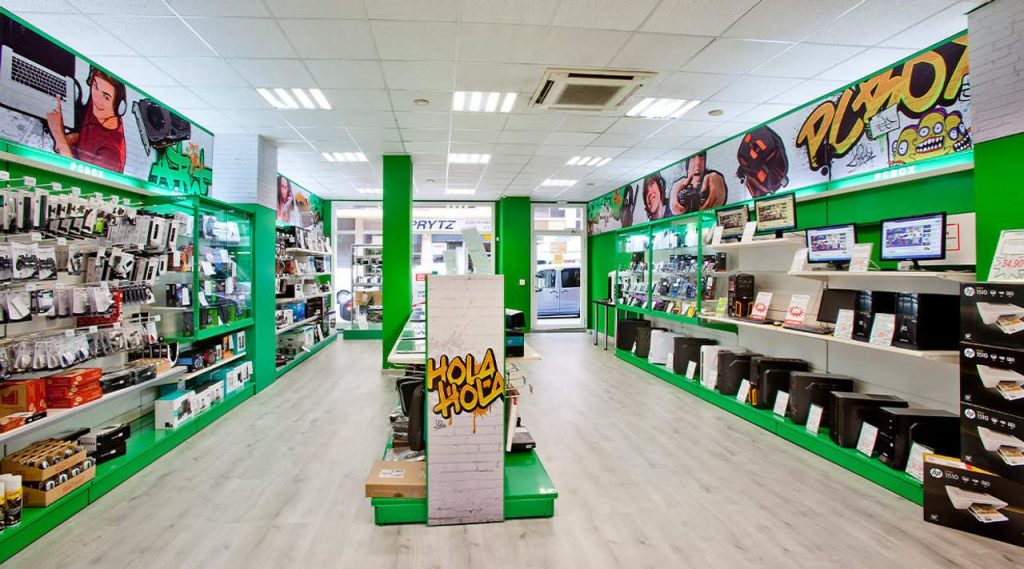
- PCBox – hardware diagnostics, parts, and accessories
- BeniFixit – device and electronics repair
These are practical walk-in options, especially for:
- Screen replacements
- Battery issues
- Drive replacements
- Power problems
If you’re using a Mac, confirm beforehand whether they service Apple products specifically.
Expect:
- Diagnostics within 24–48 hours
- Parts depending on availability
- Clear cost estimates before repair
Step 5: Decide — Repair or Replace?
Sometimes repair costs approach replacement value. Consider:
- Age of the laptop
- Availability of parts
- Urgency of your work
- Whether you’re staying long-term
If you’re in Benidorm short-term and the repair will take a week, replacement might be more practical.
PCBox and larger retailers can help source new laptops or essential accessories quickly.
Step 6: Think About Insurance
If you have:
- Travel insurance
- International device insurance
- Credit card purchase protection
You may be eligible for reimbursement. Documentation from local repair shops will usually be required.
If you don’t have insurance, this is a lesson for the future — especially if remote work is your primary income source.
Step 7: Prevent the Next Crisis
Laptop failure often exposes weak systems.
After resolving the issue, consider:
- Cloud backups running automatically
- External SSD backup
- Secondary device (even basic)
- Surge protector for Spanish power outlets
- Proper cooling if working in warm climates
Benidorm’s climate is mild but prolonged heat can affect older devices.
How Benidorm Actually Performs in a Tech Emergency
Unlike smaller coastal villages, Benidorm offers:
- Multiple repair options
- Easy access to replacement hardware
- Reliable internet everywhere
- Quick shipping from major Spanish retailers
You are not stranded here. The infrastructure is solid — you just need to act methodically.
A Calm Response Makes the Difference
When your laptop fails, it feels like everything stops. In reality, what stops is your routine — not your ability to solve the problem.
Benidorm gives you enough technical support, connectivity, and logistics to recover quickly if you:
- Prioritise data
- Stabilise communication
- Use local services efficiently
A laptop breakdown is inconvenient — but in Benidorm, it rarely becomes a disaster unless you let panic dictate your next move.